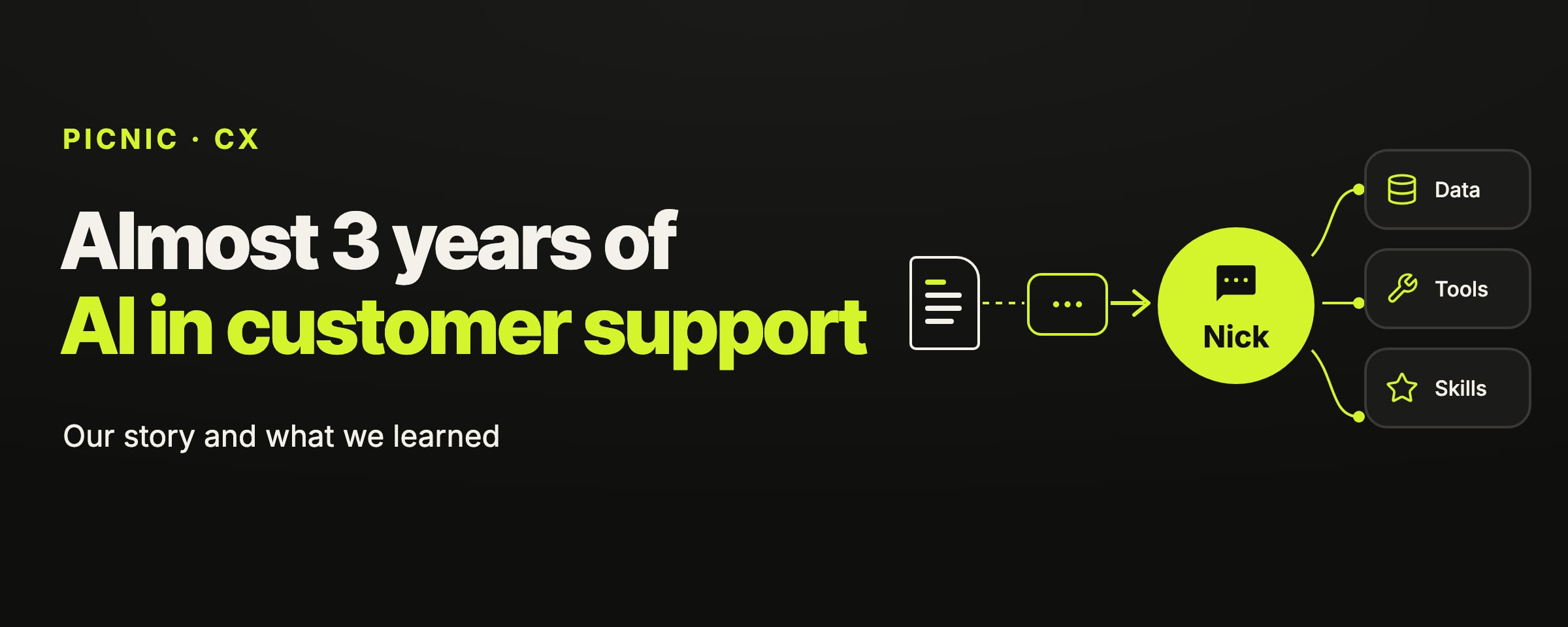
For almost 3 years we've been automating customer support at Picnic. We've tried everything: we used off-the-shelf tools, and we built our own agents only to throw them away and start from scratch. Today, 66% of conversations are resolved without human intervention, with 90% positive ratings.
The goal of this post is to share our journey and main learnings, in the hope that it's useful to someone going through something similar.
Our story so far
Why we bet on AI support
We didn't bet on AI just to cut costs. We believed it would be the way to deliver the best possible support at scale, for a few reasons:
- Highly individualized and accurate context: with access to the right data, AI can look up the tickets you've already opened, understand how you use the product and combine a range of information that would be impractical for a human to digest while still responding quickly.
- Keeping humans consistent is far from trivial: every person has their own personality, way of responding and specific knowledge. Keeping your support team well aligned is a real challenge, especially when the product is as complex as Picnic.
- Improvements that compound: we can roll an improvement out to the entire operation and know it will stack on top of every other improvement being made.
Our first AI support agent
We started with a platform that searched a set of documents and answered based on them. The AI resolved a relatively small share of the volume, and in some cases its answers hurt more than they helped. But when it worked, it was the most beautiful thing in the world.
At that point, our main problems weren't the AI. They were a lack of processes, tools and metrics. We didn't have an organized support function, so we started using Zendesk to structure the support flow and create a way to continuously improve.
Building in-house
There were some problems with our AI's answers that weren't easy to fix. While trying to understand why, we asked our AI and the then newly launched GPT-5 the same question about Picnic. Our AI got it wrong, and GPT-5 got it right by searching our help center, without any Picnic-specific setup.
We ran a few more tests and concluded that a less constrained model would beat our solution at the time. And since we saw AI built into the product as central to our vision, we decided to build our own. In October 2025, after 6 weeks of work, we launched Nick V1, our home-grown support agent.
It solved some of the chronic problems we had: closing tickets before the user's problem was actually resolved, not escalating to humans when a situation called for it, and failing to find context in tickets the AI should have been able to resolve.
Building with tools
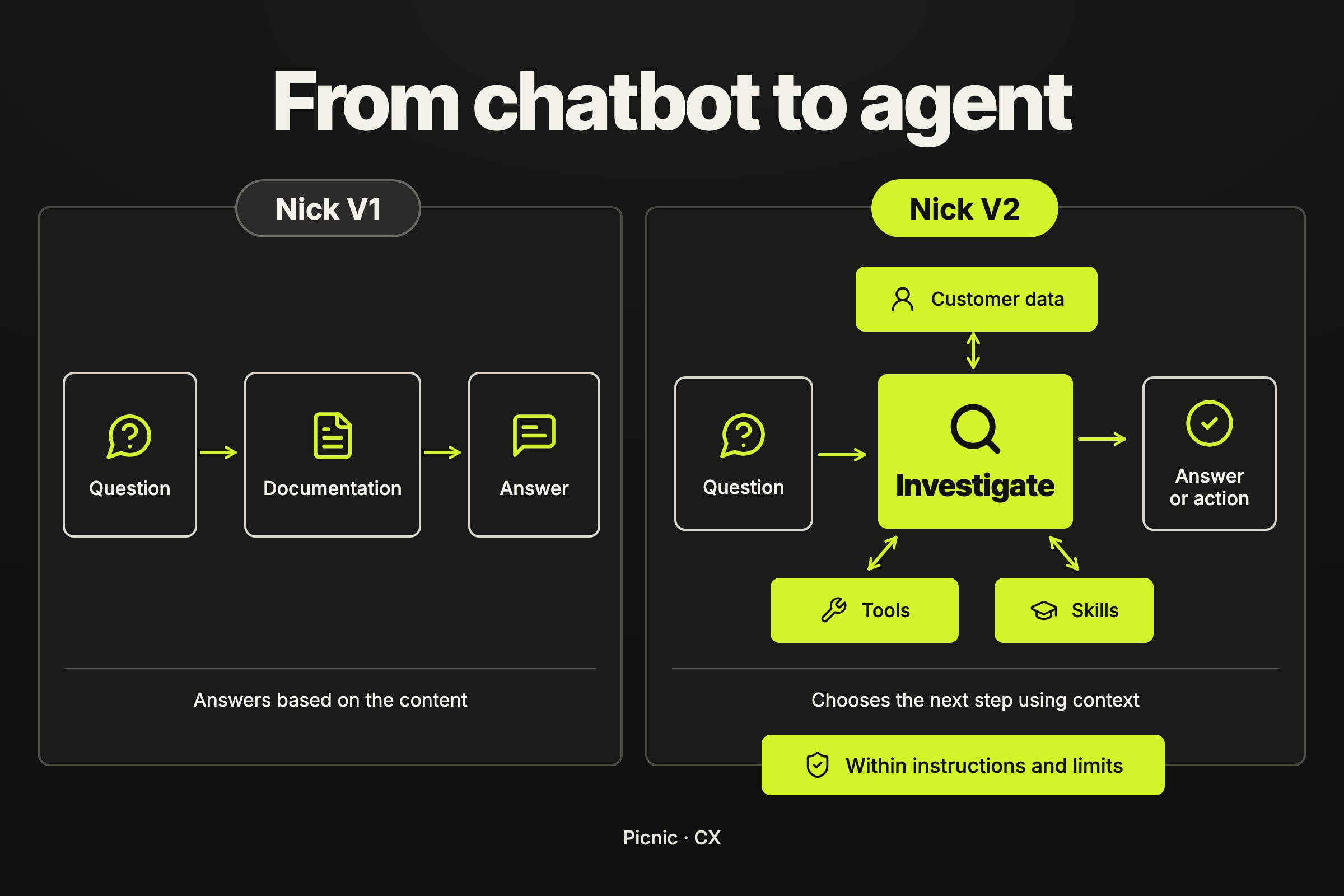
Nick V1 answered based on our documentation, but it had no tools to check balances, look up transactions or fetch context about the customer. It could explain how the product worked, but it couldn't investigate what was happening in that specific account.
With the release of new models (Opus 4.5), our experience with Claude Code changed what we expected from Nick. We wanted it to also gather context, use tools and make decisions. So we decided to throw Nick V1 away and rebuild it with more freedom and autonomy.
Nick V1 vs. Nick V2
In a single conversation, Nick V2 could look up the customer's profile, check transactions, verify the status of an operation and search the help center. All of it in a few seconds, and in a way that made it easy to keep improving support.
In July, we retired Nick V1 and moved all support to V2. We still have work to do, but in most of the tickets I read I'm happy with the result, and in some cases I'm genuinely impressed by how far the AI goes in diagnosing the problem and helping the user.
Key learnings
1. Have processes, metrics, deadlines and owners
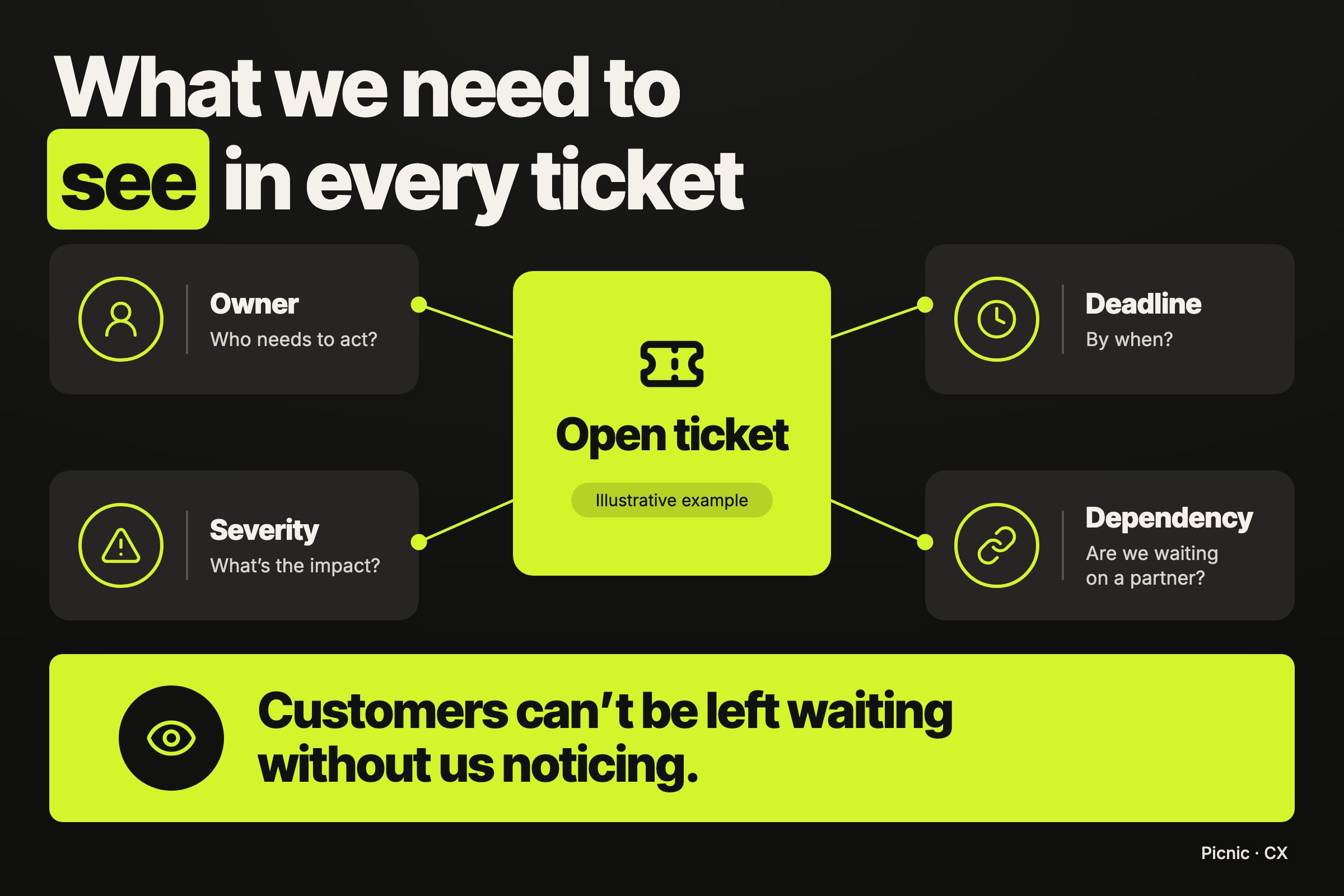
One of our problems was tickets where it wasn't clear who needed to do something. The customer was left waiting, and it took us a while to notice.
Organizing the operation let us answer basic questions: which critical tickets have no response? Does every ticket have an owner and a deadline? How many are waiting on partners, and for how long? Which categories concentrate the most problems?
That visibility was essential to improving support. Without it, we struggled to diagnose and prioritize the main problems. With it, our work became far more impactful.
2. Trust the AI and give it tools
The way we build changed when we stopped trying to define every step the AI should take. Today, we give Nick tools, instructions and limits, and let it choose how to solve the case.
If a search doesn't work, it can try another. If the documentation isn't enough, it can look at the customer's data. It doesn't need to get the whole path right before starting; it can decide the next step based on what it found.
This simplifies our work a lot and lets the AI solve an even wider range of problems.
3. Use skills to organize complexity
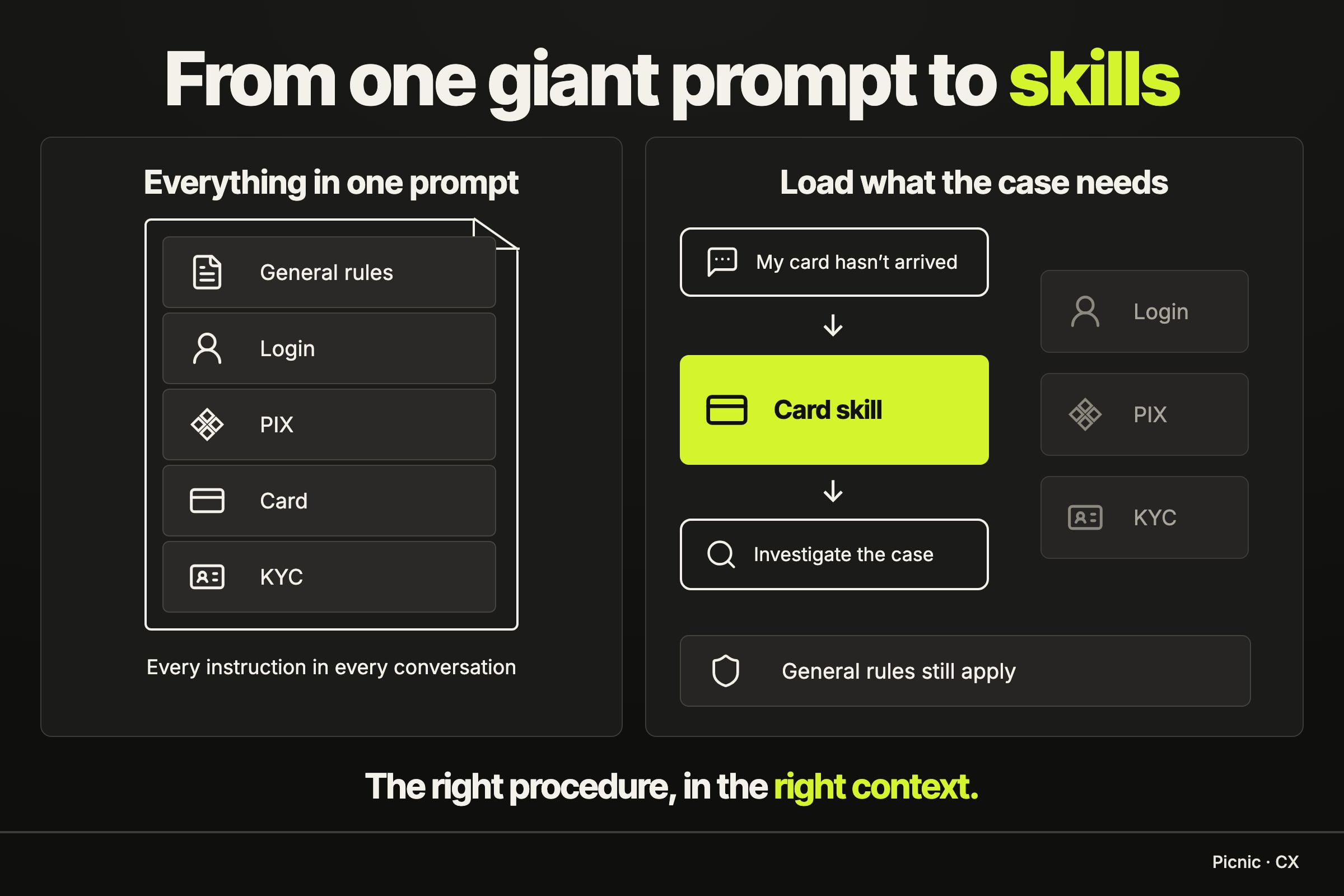
Our system prompt was getting huge. Every new problem brought more instructions, exceptions and rules, and it became extremely hard to control side effects.
Splitting things into skills helped a lot. Login, PIX, cards and KYC each have their own procedures, loaded depending on the case. We can go deep on an investigation without putting every instruction for every topic into the same prompt.
It also made Nick easier to maintain. If we need to change how it handles a card problem, we know where those rules live and which other cases we need to test.
4. Share workflows between humans and agents
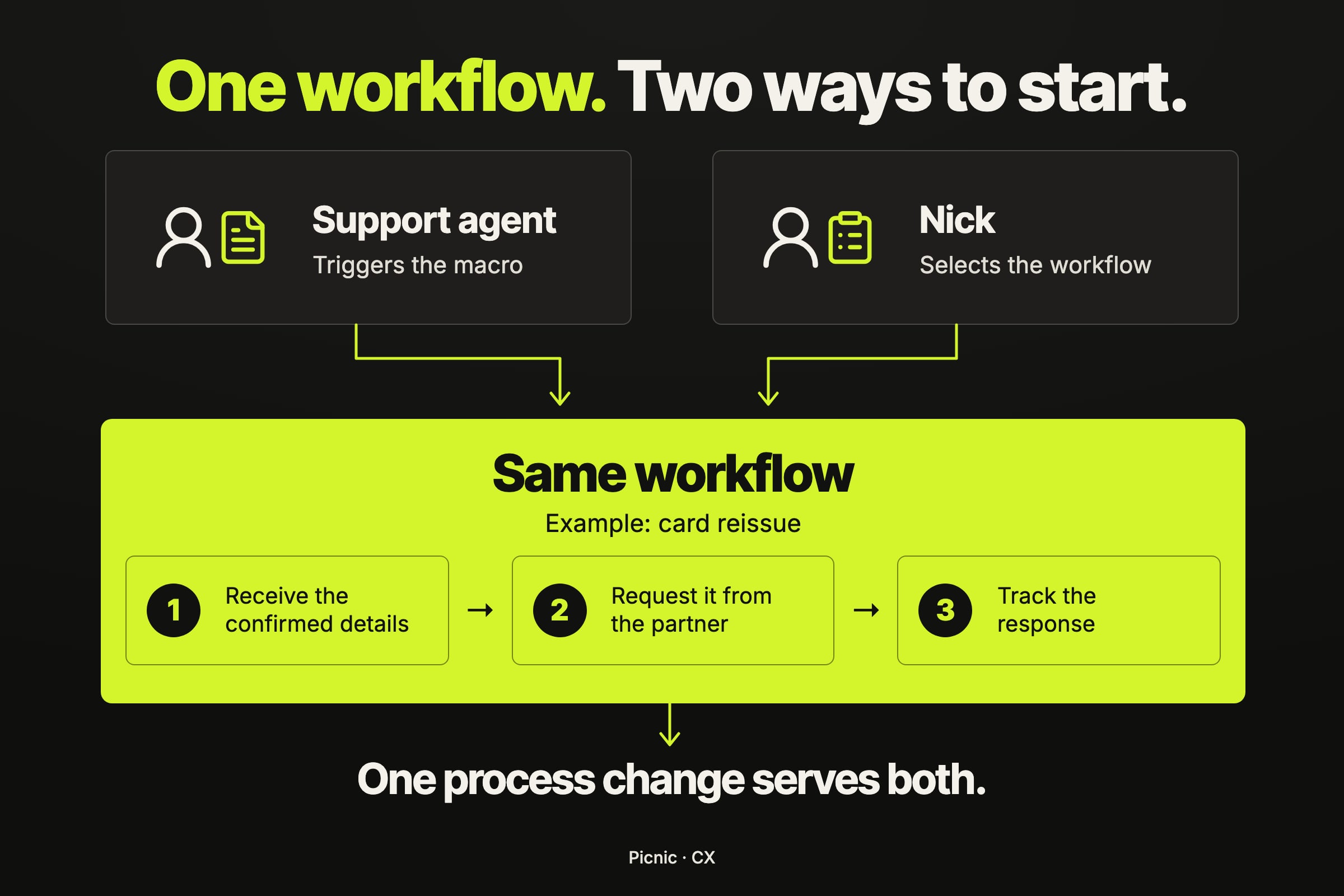
One of the best decisions we made was to use the same automated flows for both the human team and Nick.
A human can trigger a macro in the support tool. Nick can recognize that the same procedure applies and route the case to the same workflow. From there, both use the exact same execution.
This avoids maintaining two versions of the same process. If we change the procedure for contacting a partner, for example, we don't need to update one automation for humans and another for the AI. The operational knowledge lives in the shared flow.
For example: if a physical card hasn't arrived, Nick checks the order, verifies the delivery window and asks the customer to confirm their address when a reissue is appropriate. Then it triggers the same macro a human agent would use to request it from the partner.
5. Use evals to guarantee quality
For a while, it felt like every time we fixed one thing we broke another. Testing the question that had gone wrong wasn't enough: it could improve while other conversations got worse.
That's why every change needs to start by defining what we want to fix and what must keep working. We run the cases against the previous version and then the new one, and compare the behavior.
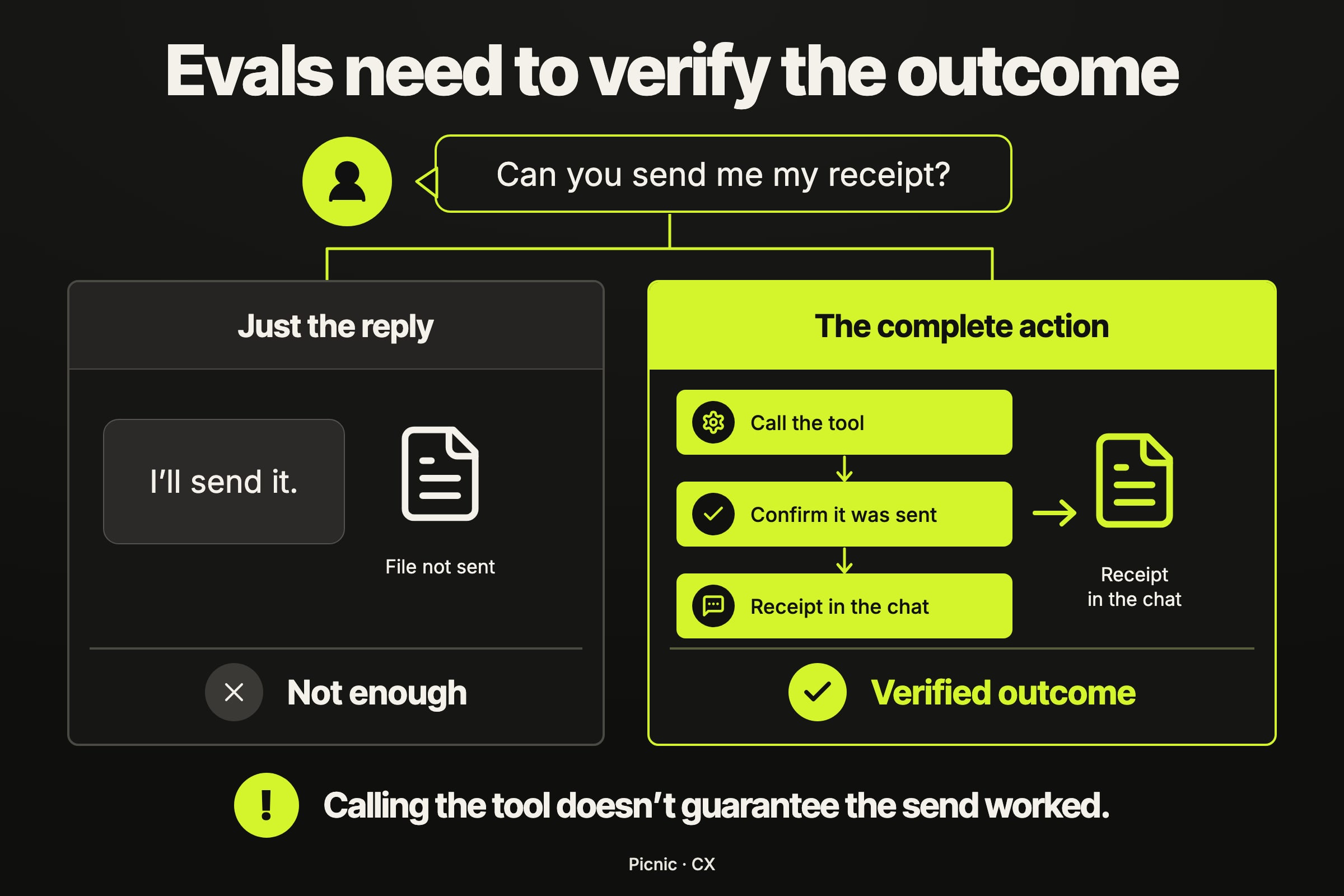
Evals need to look beyond the text of the answer. Did the agent look up the data it needed? Did it pick the right flow? Did it escalate when it should have? A well-written message can hide a wrong decision.
For example: if the customer asks for a receipt, it's not enough for Nick to reply "I'll send it". The eval needs to check that it actually triggered the tool to send the file.
6. Use agents to help improve the agents themselves
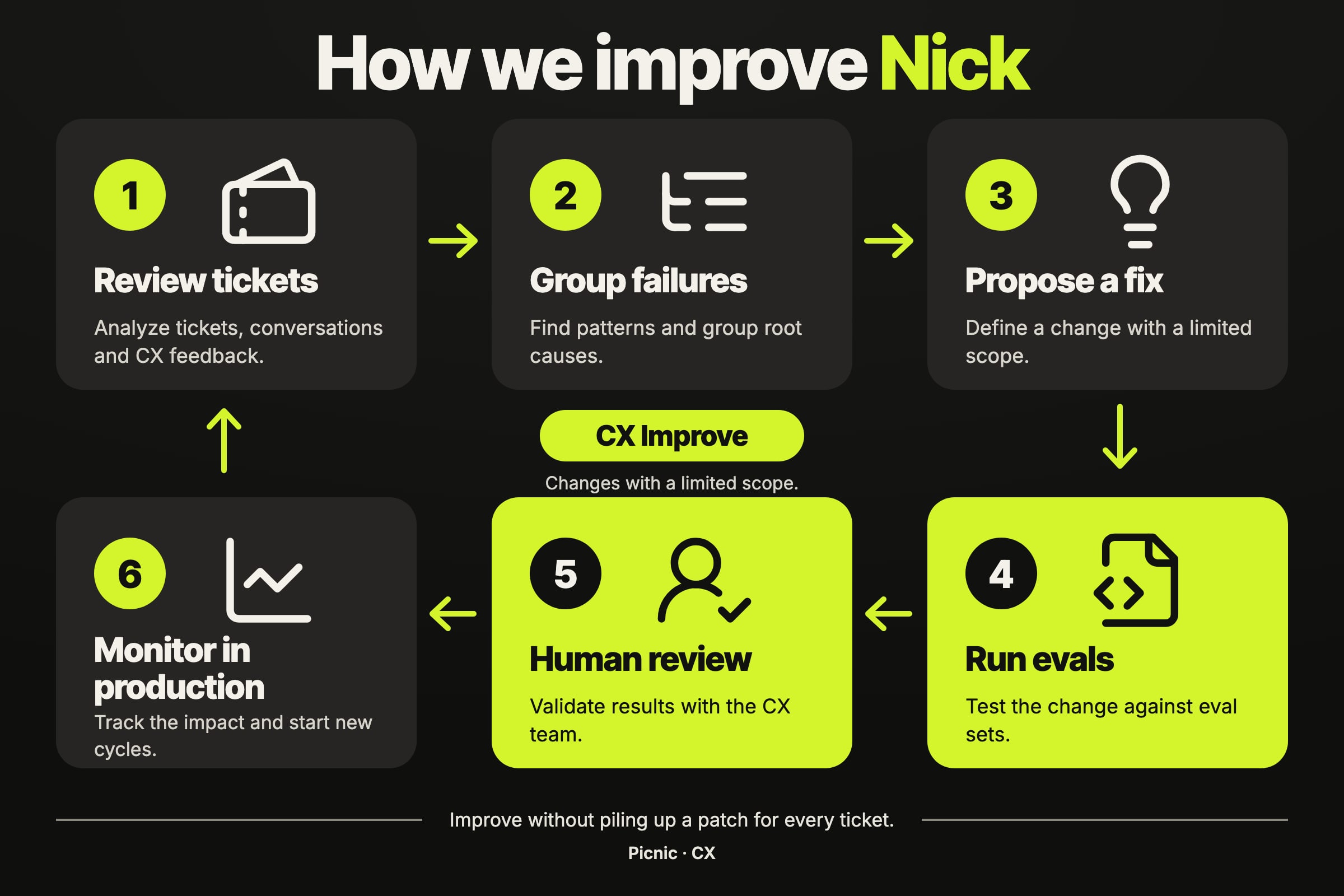
Today, I do a weekly review with a skill that analyzes conversations and helps identify opportunities for improvement. It lets me investigate far more conversations than I could review on my own.
But finding a bad answer doesn't mean we need to add another instruction to the prompt. The problem might be in the data, a tool, the product, or a rule that contradicts another one.
We created a skill called CX Improve to drive that investigation, define evals and test a narrowly scoped fix. The idea is to improve behavior without piling up a patch for every ticket. Sometimes the change that's needed is removing a contradiction, not writing yet another rule.
I hope this was useful!
And a big thank you to everyone who was part of this process, especially @pury_br, who architected most of this system.